
MyQRMed: Medical ID Accessories
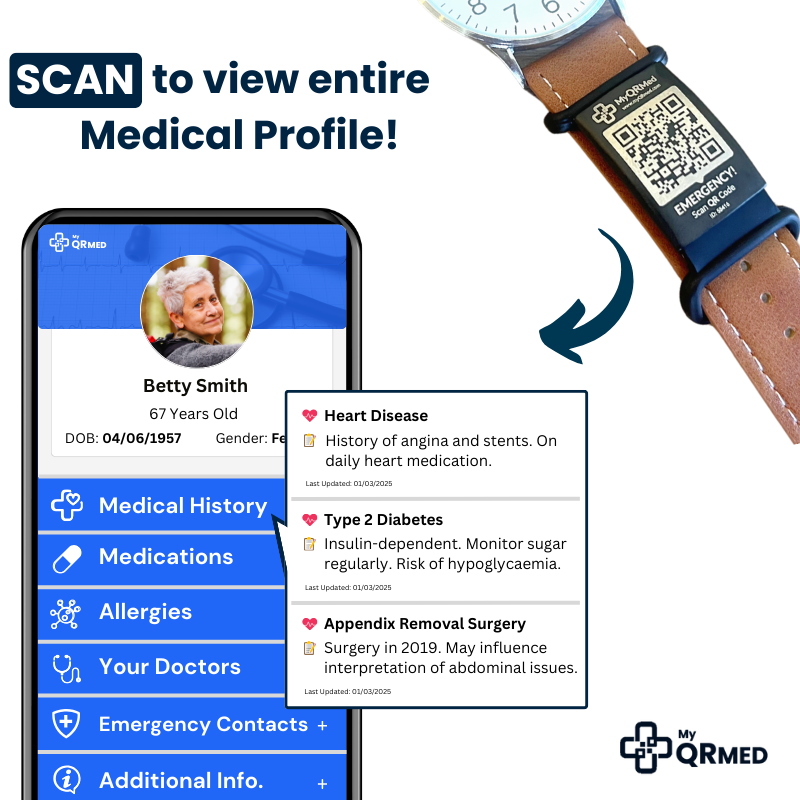
Scan the QR code to instantly view your entire medical profile — no app, no subscription.
🗂️ Medical History 💊 Medications 🤧 Allergies 👨⚕️ Doctors 🚨 Emergency Contacts 🔷 Update Info anytime


Our Happy Customers
What to put on a medical ID necklace?
In your QR profile: conditions, medications, allergies, implants/devices, emergency contacts and clinician details.
How it works?
-
Link your ID
Link your medical alert ID in seconds through our online portal.
-
Create a Profile
Create a profile with information that will assist others to help and care for you. You can update your profile anytime.
-
Scan the QR Code
Medical Professionals can view your profile by scanning the QR code on any smartphone - no app needed. Your profile can only be viewed by those you share your ID with.
Why choose QR vs engraved?
-
Full details, not just a few words. Your profile can include conditions, meds, allergies, contacts and notes.
-
Updatable anytime. Change medications or contacts and your bracelet/necklace stays current.
-
Works across styles. Choose a bracelet or a necklace—both include the same scannable profile.
-
Paramedic-designed for real emergencies.
Who is a QR code medical ID best for?
-
Anyone with changing medications or complex medical history
-
People managing diabetes, epilepsy/seizures, severe allergies, dementia, or on blood thinners
-
Carers & families who need info shareable and up to date
Free post • Paramedic-designed • No subscriptions • Australia-wide delivery.
Frequently Asked Questions
Do paramedics need an app to scan the QR?
No. Any modern smartphone camera can scan the QR and open your secure profile.
Is my information secure?
Your profile opens via a secure link; you control what’s shared and can update or remove details anytime.
Do I need a membership or subscription?
No—MyQRMed has no subscriptions. It’s a one-time purchase.
Can I order with NDIS funding?
Yes — MyQRMed is an NDIS registered provider. Learn more on our Funding page.